
Wolof Keyboard2.0 - Google Play
You'll be able to see results in few seconds.
Publisher Description
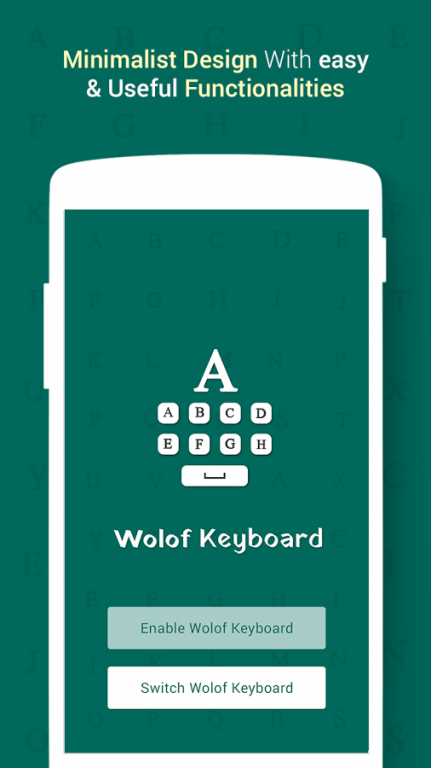
Wolof Keyboard is an easy type method of keyboard in Wolof language and make it simple for all Wolof user who want too.
Wolof Keyboard having more facility for write Wolof language and to share your text also in Wolof language. Wolof Keyboard is to implement in whole phone keyboard type to write in Wolof language.
Now you easy to write Wolof language in your phone make it simple to read and write in Wolof language. It is all about Wolof users to type in that fashion.
1. Enable Wolof Keyboard
-> Set Wolof Keyboard in language and input method in your phone.
2. Switch Wolof Keyboard
-> Choose Wolof Keyboard as input method from set up input method option.
3. Themes
-> Wolof Keyboard having mainly 8 themes in keypads. Such as Mountain Sky, Sunset, Mountain Grass, Color Wave, Dark Stone, Blue Valley, Color Flower. Choose according to user that want in keyboard type as background and font style whatever your want.
4. Images
-> Select photo from gallery or take photo from camera to choose as background image in your keyboard type if you want to set your photo or family photo or child photo in your phone keyboard you can easily set as background which you like to set too.
5. Preview
-> Preview give you best option to how your keyboard looks a like in your phone, if you want to change anything you can easily change via setting or themes whatever you like to change in preview of Wolof keyboard. You can check preview anytime when you change anything from setting or else.
6. Setting
-> Setting facility is to user give more option for set keyboard according to user choice and make it more simple to write.
-> Apply auto capitalization option to give user make easy for first word capital of each sentence.
-> Popup on key press give to see what you write character at the time of press a keypad.
-> Vibrate on key press option apply for vibrate when you keypad press and phone get in vibration.
-> Sound on key press give you sound when you press on keypad on Wolof keyboard.
-> Suggestion on key press give you option for suggestion to write according to your character of type in and dictionary or saved word give suggestions.
-> Sound Volume apply to set volume of sound when you press on keypad.
-> Suggestion text size apply to set size of suggestion text of word.
-> Key Text Color give you color option of keypad on Wolof keyboard.
-> Preview Text Color also set as your choice.
Wolof Keyboard is to set via mainly two steps convert your phone keyboard to Wolof language keyboard.
Wolof Keyboard is for all the user of Wolof user who want to type in Wolof and share and send text in Wolof language.
About Wolof Keyboard
The company that develops Wolof Keyboard is Martha Sullivan. The latest version released by its developer is 2.0.
To install Wolof Keyboard on your Android device, just click the green Continue To App button above to start the installation process. The app is listed on our website since 2017-01-03 and was downloaded 0 times. We have already checked if the download link is safe, however for your own protection we recommend that you scan the downloaded app with your antivirus. Your antivirus may detect the Wolof Keyboard as malware as malware if the download link to com.green.key.wolof is broken.
How to install Wolof Keyboard on your Android device:
- Click on the Continue To App button on our website. This will redirect you to Google Play.
- Once the Wolof Keyboard is shown in the Google Play listing of your Android device, you can start its download and installation. Tap on the Install button located below the search bar and to the right of the app icon.
- A pop-up window with the permissions required by Wolof Keyboard will be shown. Click on Accept to continue the process.
- Wolof Keyboard will be downloaded onto your device, displaying a progress. Once the download completes, the installation will start and you'll get a notification after the installation is finished.
Program Details
System requirements
Download information
Pricing
Version History
version 2.0
posted on 2017-01-03
Disclaimer
Official Google Play Link
We do not host Wolof Keyboard on our servers. We did not scan it for viruses, adware, spyware or other type of malware. This app is hosted by Google and passed their terms and conditions to be listed there. We recommend caution when installing it.
The Google Play link for Wolof Keyboard is provided to you by apps112.com without any warranties, representations or guarantees of any kind, so access it at your own risk.
If you have questions regarding this particular app contact the publisher directly. For questions about the functionalities of apps112.com contact us.
